
Message Routing
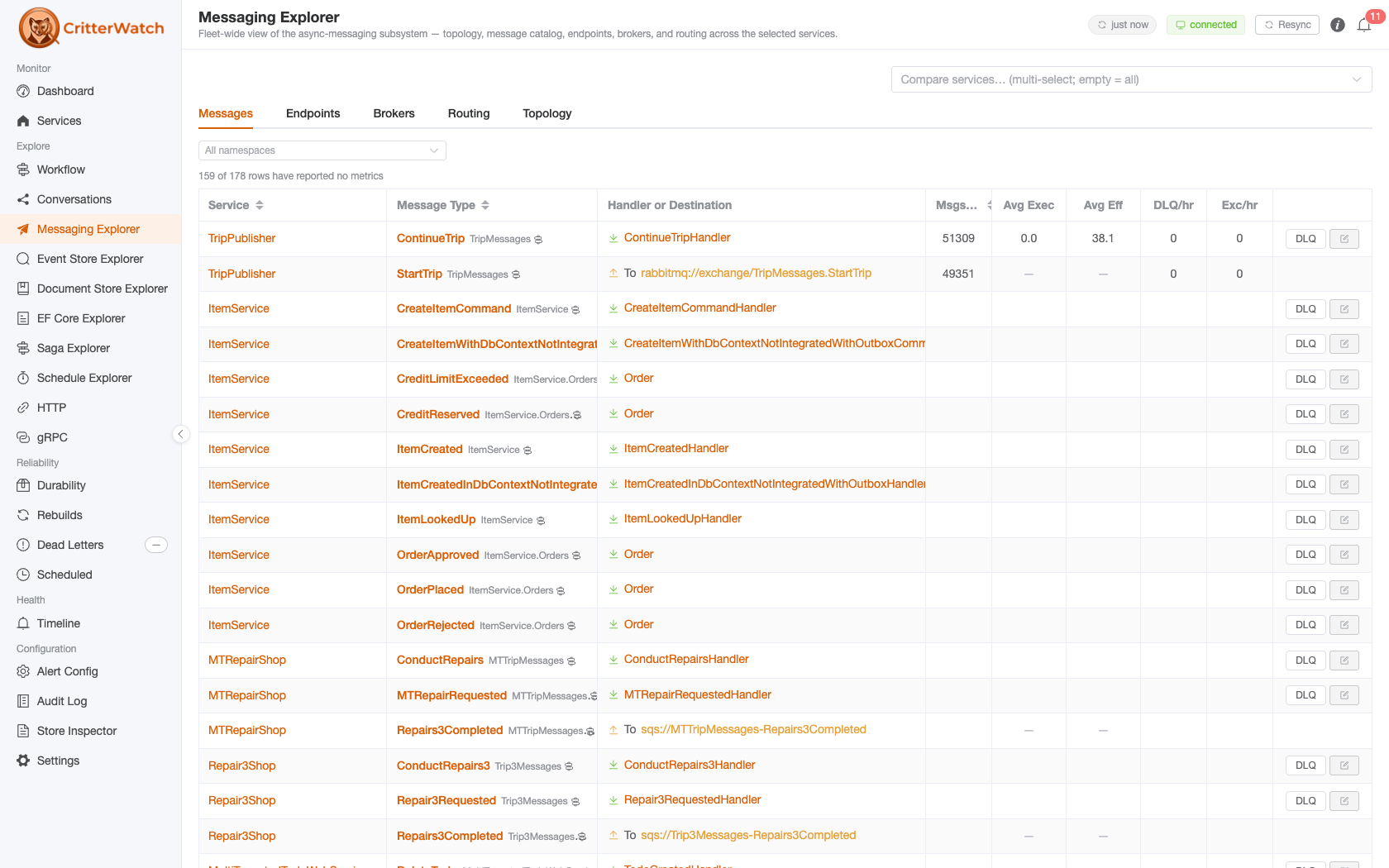
CritterWatch surfaces where each message type routes and why — the publishing destinations Wolverine computed for a message, and the chain of route sources (local routing, conventional routing, broker conventions, explicit subscriptions) that produced them. This answers the two questions operators ask when a message ends up somewhere unexpected — or nowhere at all:
- Where does this message go? — the resolved subscriptions/destinations.
- Why does it go there? — which route source contributed each route, and which one (if any) short-circuited the rest.
You can reach this two ways:
- The Routing tab of the Messaging Explorer — a static, fleet-scoped table with a Message Type column, the comma-joined Route Sources for each, an optional Service column in multi-service scope, and a message-type filter box. A per-row Explain button drills into the live Route Sources + Routing Explanation cards below the table.
- The Message Type detail page — reached by clicking a message type in the Messages catalog. The same Route Sources + Routing Explanation cards render there for that one type.
Requires Wolverine 6.0+ on the monitored service
Route-source information rides on Wolverine's MessageDescriptor, which only carries it on Wolverine 6.0+. Services on older Wolverine still appear in the dashboard, but their Route Sources card is empty.
Route Sources card
The Route Sources card lists every route source Wolverine consulted for the message type, in order. Each row shows:
| Column | What it means |
|---|---|
| Source | The route source's name — e.g. LocalRouting, RabbitMqConventionalRouting, an explicit subscription. |
| Mode | Additive or Terminating (see below). |
| Description | A human- and AI-readable explanation of what the source does. |
| Conventions | For sources that delegate to a routing convention, each convention's transport scheme and named broker (e.g. rabbitmq · primary). This disambiguates named brokers of the same transport type in a single application. |
Additive vs. terminating
Route sources are consulted in order, and each is either:
- Additive — it contributes any routes it finds and lets later sources keep contributing. Most convention-based sources are additive.
- Terminating — as soon as it produces a route, the chain short-circuits: later sources are never consulted. Explicit, intentional routing (e.g. a
PublishMessage<T>().To(...)rule) is typically terminating, so it wins over conventions.
This ordering is exactly why a message can "ignore" a convention you expected to fire — an earlier terminating source already claimed it.
Routing Explanation panel
The Route Sources card is a cached summary (it comes from the last capability snapshot the service reported). When you need the authoritative, live answer, use the Routing Explanation panel on the same page. Click Explain routing and CritterWatch asks the monitored service to compute the explanation on demand (Wolverine's ExplainRoutingFor) and streams it back.
The panel renders:
- Route sources, in the order consulted — each with its
Additive/Terminatingtag, the routes it produced (or "produces no routes (no match)"), and a skipped: reason when an earlier terminating source short-circuited the chain before this source was reached. - Final routes — the destinations the message actually resolves to.
- Flags for system message types and local routing disabled.
- A collapsible Raw explanation block with Wolverine's own
ToText()rendering, for copy/paste into issues.
Live round-trip
The Routing Explanation is fetched from the monitored service in real time, so that service must be online. If it doesn't answer within ~15 seconds the panel reports a timeout. The cached Route Sources card needs no round-trip.
From an AI agent (MCP)
The MCP server exposes the same routing visibility as read-only, license-gated tools:
| Tool | What it returns |
|---|---|
get_message_routing | For one serviceName + messageType: the subscriptions plus the route sources (name, additive/terminating, conventions). Cached — no round-trip. |
list_message_routing | Every message type a service routes, each with its destinations and route sources. Cached. |
explain_message_routing | The live routing explanation for one message type (Wolverine's ExplainRoutingFor): the ordered route-source chain, which terminating source won, and the final destinations. Round-trips to the service (~15s timeout). |
Example agent prompts:
- "Why does
OrderPlacedfrom the orders-service route where it does?" →explain_message_routing. - "List every message the orders-service publishes and where each one goes." →
list_message_routing.
From the CLI
Every Wolverine service ships a built-in diagnostics command, independent of CritterWatch:
# Inspect routing for one message type
dotnet run -- wolverine-diagnostics describe-routing MyApp.Messages.OrderPlaced

# Explain WHY it routes there (the ordered source chain)
dotnet run -- wolverine-diagnostics describe-routing MyApp.Messages.OrderPlaced --explain

# Machine-/agent-readable JSON of the explanation
dotnet run -- wolverine-diagnostics describe-routing MyApp.Messages.OrderPlaced --explain --json

# Complete routing topology for all known message types
dotnet run -- wolverine-diagnostics describe-routing --all
The --explain / --json output is the same explanation the Routing Explanation panel and explain_message_routing MCP tool render — useful in CI, a shell, or when the service isn't registered with a CritterWatch console.