
Durability Monitor
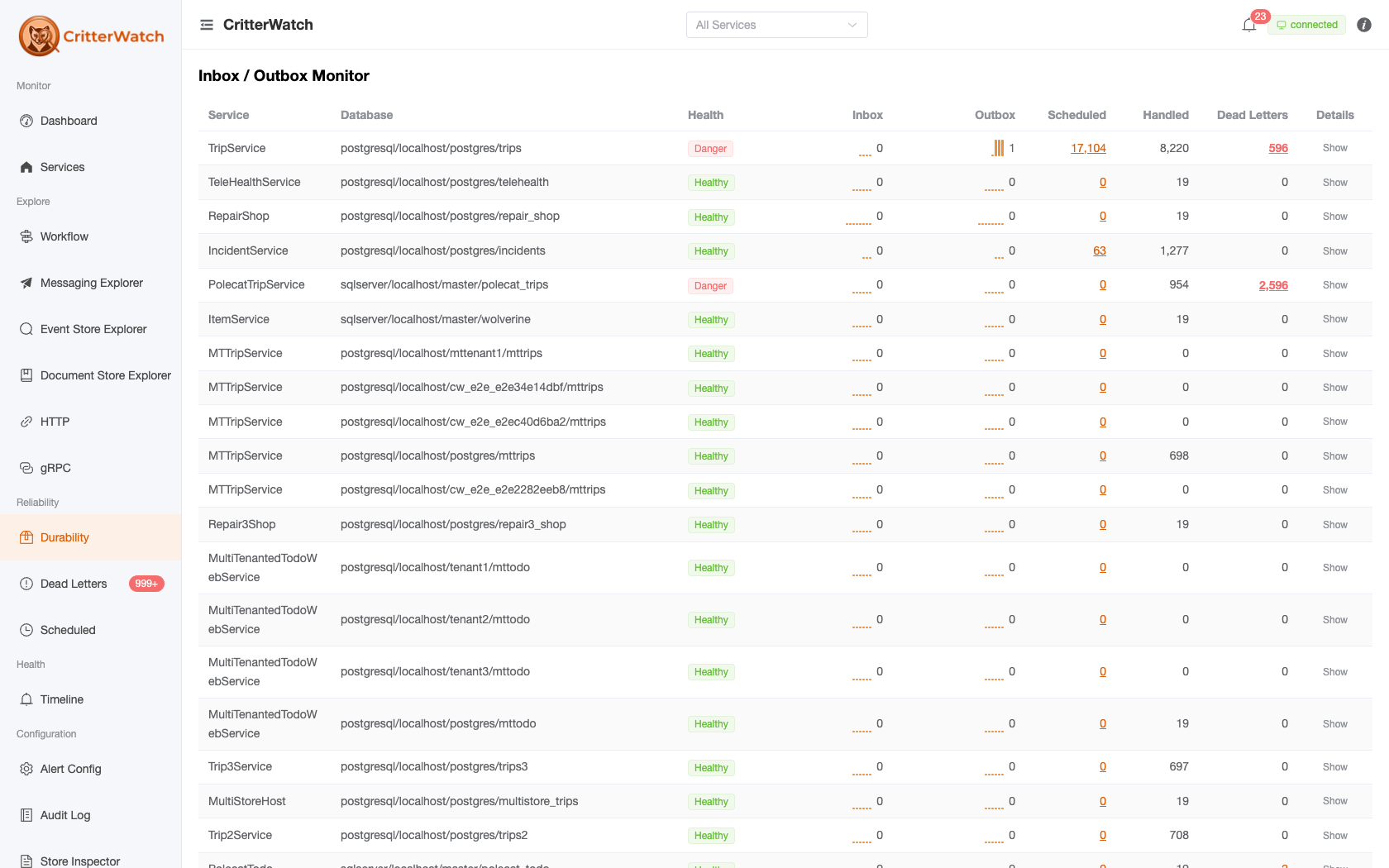
The Durability Monitor (sidebar → Durability; the page header reads Inbox / Outbox Monitor) displays the health of Wolverine's inbox and outbox persistence across all monitored services. Wolverine's durable messaging guarantees depend on these stores processing messages reliably — this view surfaces problems before they become outages.
Persistence Overview
Wolverine's durable messaging works through an inbox/outbox pattern:
- Inbox — incoming messages are persisted before processing begins, ensuring at-least-once delivery even if the process crashes mid-handler
- Outbox — outgoing messages are persisted transactionally with the handler's database writes, then delivered asynchronously
CritterWatch tracks the count of messages in each store and plots them as sparklines over time.
Durability Grid
Each row represents a message store belonging to a monitored service:
| Column | Description |
|---|---|
| Store URI | Database connection identifier (host and database name) |
| Service | Which service owns this store |
| Tenant | Tenant ID for multi-tenant services |
| Inbox Count | Messages received but not yet processed |
| Outbox Count | Messages committed but not yet sent |
| Inbox Sparkline | Trend chart for inbox depth over the past hour |
| Outbox Sparkline | Trend chart for outbox depth over the past hour |
| Status | Healthy / Warning / Critical |
Interpreting Sparklines
Inbox sparkline:
- Flat near zero — healthy, messages are being processed as fast as they arrive
- Gradually rising — processing is keeping up but queue is building; monitor closely
- Sharply rising — processing is falling behind; investigate listener health and throughput
Outbox sparkline:
- Flat near zero — healthy, messages are being sent as soon as they are committed
- Rising spike then falling — normal burst behavior, outbox relay caught up
- Persistently rising — outbox relay may be stuck or the downstream broker is unreachable
Database Health
Each store also shows its database health indicator based on the most recent connectivity check:
- Healthy — database is reachable and responding within expected latency
- Warning — elevated latency or intermittent connectivity
- Critical — database unreachable or connection timeouts
Alert Integration
Durability monitors contribute to alerts when:
- Inbox count exceeds the warning or critical threshold (configurable)
- Outbox count exceeds the warning or critical threshold
- Database connectivity check fails
These alerts auto-resolve when counts return to normal and connectivity is restored.
Message Stores
The Message Stores section lists all message store databases discovered from monitored services. For multi-tenant services, each tenant's database is listed separately. This provides a complete inventory of all durability databases in your deployment.